envee lets you quickly compare application versions across environments and
see git commits between them.
envee is alpha software. Its interface and behaviour might change in the near future.
🤔 Motivation
When you manage applications across multiple environments, it’s easy to lose
track of which versions are running where. Understanding the version differences
tells you exactly what code will ship in the next deployment. Without
centralized visibility, you end up manually checking each environment and
repository. envee helps with this process by centralizing version differences
and commit logs in one place.
⚡️ Usage
envee requires a TOML file which holds data for the app versions.
# array of environments in the order you would like to see them in the results
# (required)
envs = ["dev", "prod"]

# github owner of the repositories
# (needed if you want to see commit logs)
github_org = "radancy-ai"

# if you want to transform the versions in the versions TOML file to git tags
# eg. v{{version}} will convert 0.1.0 to v0.1.0
# (optional)
git_tag_transform = "v{{version}}"

[[versions]]
# also the name of the github repository for the app
app = "app-a"
env = "dev"
version = "0.1.2"

[[versions]]
app = "app-a"
env = "prod"
version = "0.1.0"

[[versions]]
app = "app-b"
env = "dev"
version = "1.2.0"

[[versions]]
app = "app-b"
env = "prod"
version = "1.2.0"
$ envee run -h
Show results based on a versions file

Usage: envee run [OPTIONS]

Options:
  -V, --versions <PATH>              Path to the versions file [default: versions.toml]
      --debug                        Output debug information without doing anything
      --validate-only                Only validate versions file
  -C, --no-commit-logs               Show commits between tags corresponding to different environments (requires ENVEE_GH_TOKEN to be set)
  -o, --output-format <FORMAT>       Output format [default: stdout] [possible values: stdout, html]
  -f, --filter <REGEX>               Regex to use for filtering apps
      --stdout-table-style <STRING>  Table style for stdout output [default: utf8] [possible values: ascii, markdown, none, utf8]
      --stdout-plain                 Whether to use output text to stdout without color
      --html-output <PATH>           Path for the HTML output file [default: envee-report.html]
      --html-title <STRING>          Title for HTML report [default: envee]
      --html-template <PATH>         Path to custom HTML template file
  -h, --help                         Print help
stdout output
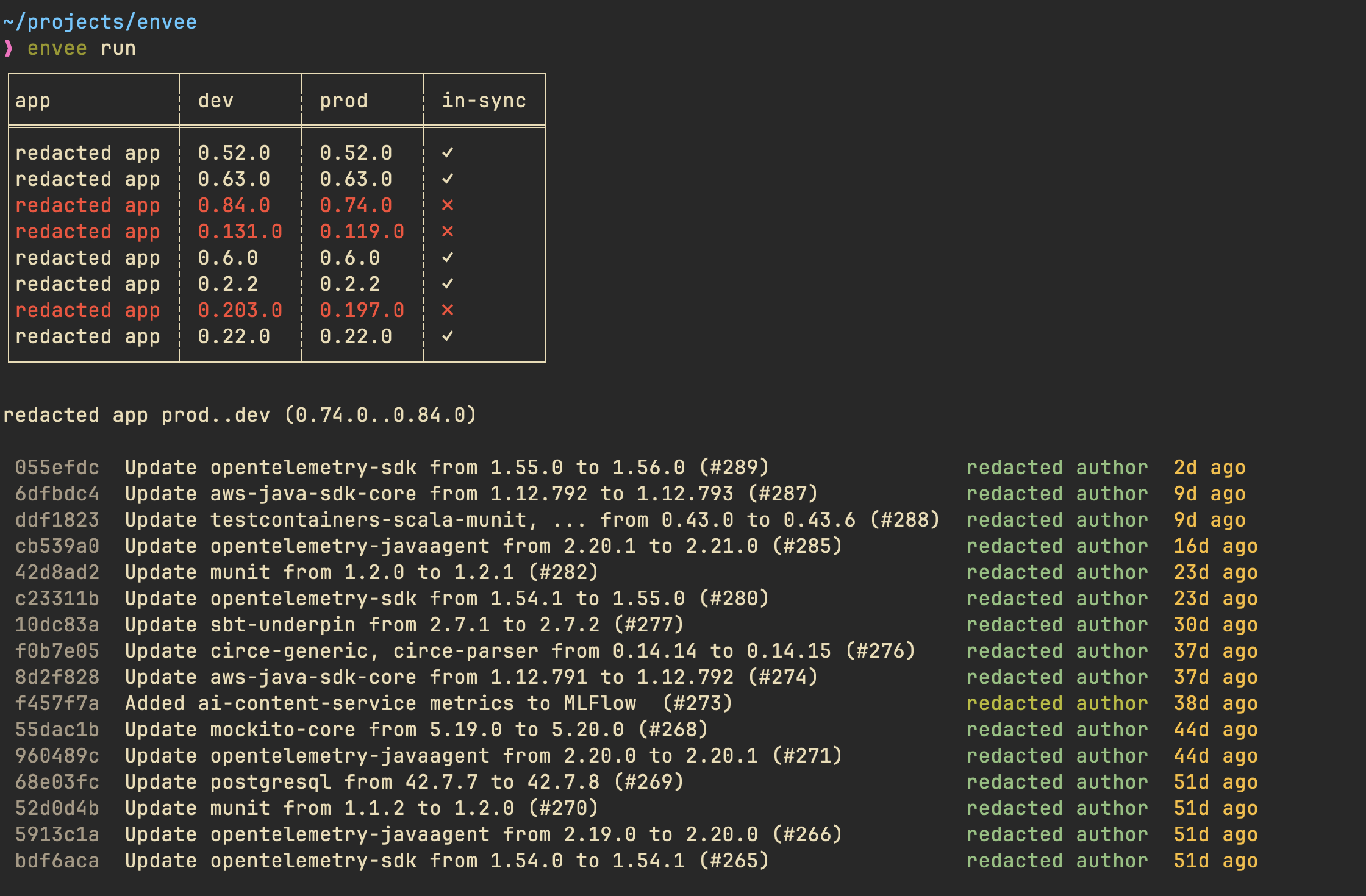
By default, envee prints its report to stdout.
HTML output
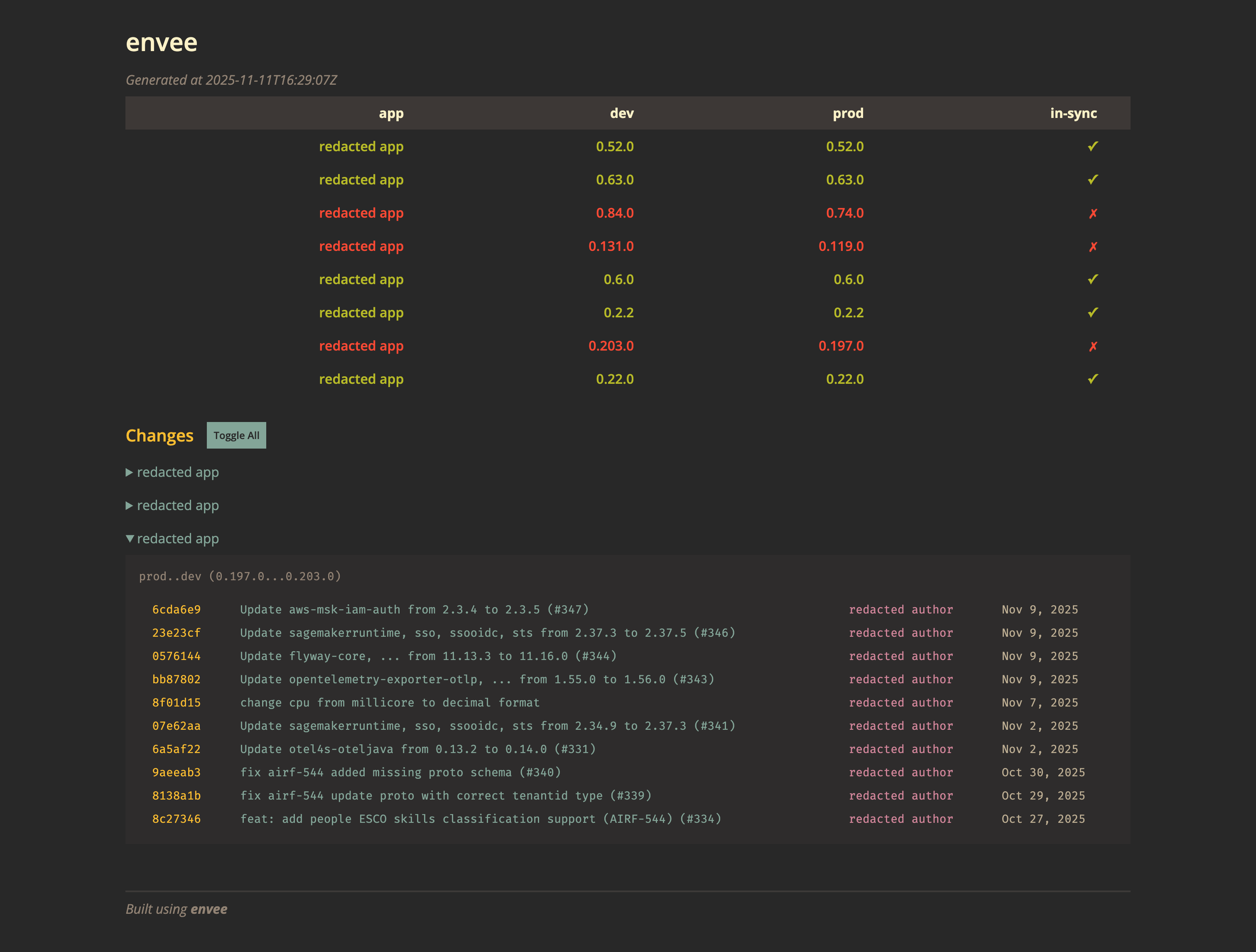
envee can also generate an HTML version of its report.
envee run --output-format html